YT-Tutor
EdTech Product — AI-Augmented Video Learning Tool
The Problem
YouTube is one of the richest educational resources available, but there's no easy way to bring a video's content into an AI conversation. If you want to discuss a lecture with Claude or ChatGPT, you have to manually copy the URL, find the transcript, grab the metadata, and paste it all together. That friction means most people just don't do it — they watch passively instead of engaging with the material.
The Approach
I designed and built YT-Tutor as a context preparation layer for AI-powered tutoring. The user pastes a YouTube URL, the app extracts the video's transcript, metadata, timestamps, and description, then packages it as a structured initialization message the user copies into their AI of choice. It's AI-agnostic by design — the user brings their own AI, which keeps the tool free and avoids locking anyone into a single platform.
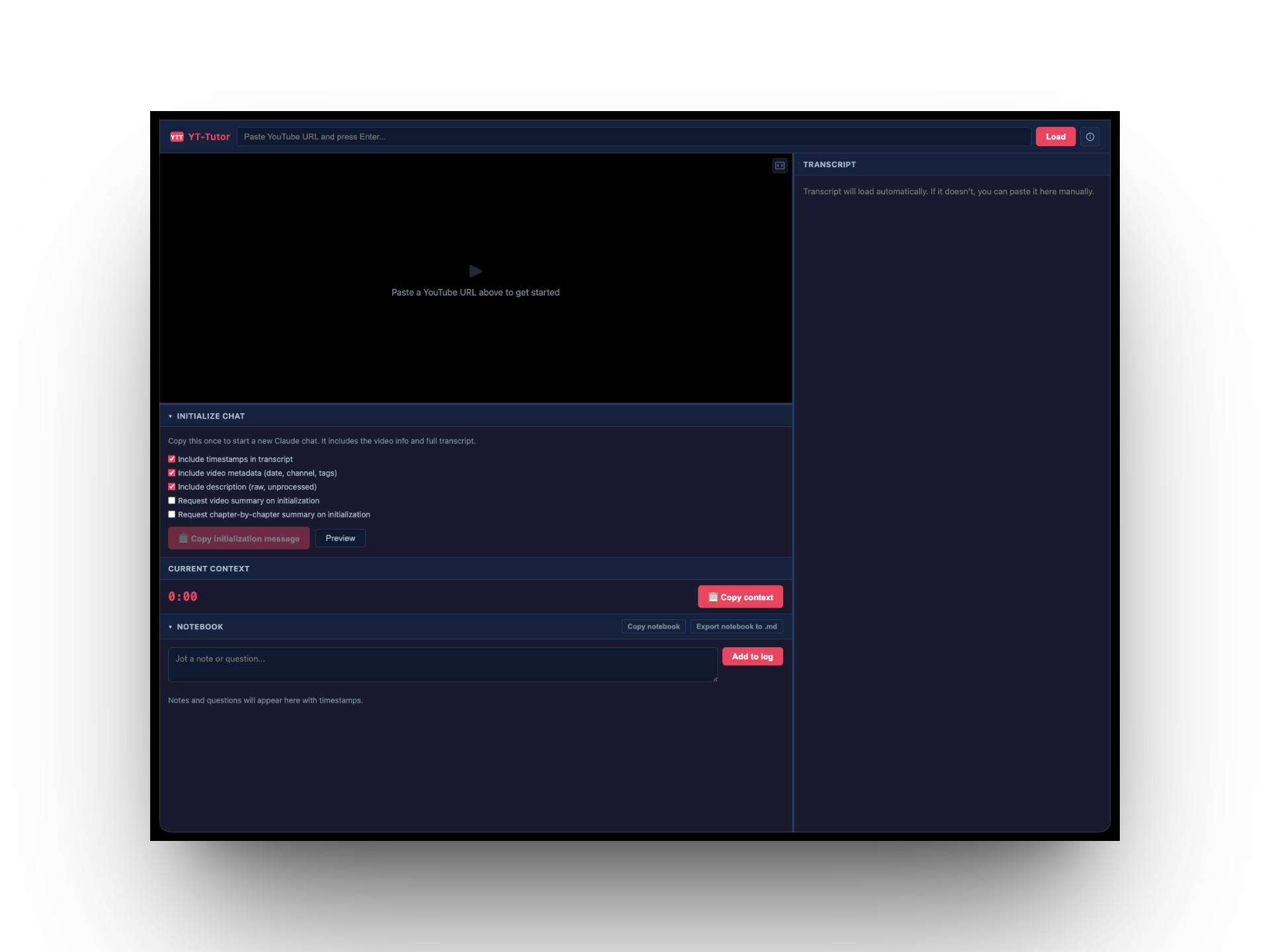
I deployed the first version to Railway and ran a usability test with a user who was comfortable with YouTube but had no prior experience with AI tools. The test revealed a fundamental onboarding problem: the user opened the app and had no idea what to do. They didn't understand that YT-Tutor was a preparation tool, not the AI itself. They couldn't identify the workflow steps or figure out what to do with the initialization message once it was generated.
The core issue wasn't a UI polish problem — it was a missing mental model. The app assumed a workflow that didn't exist in the user's head.
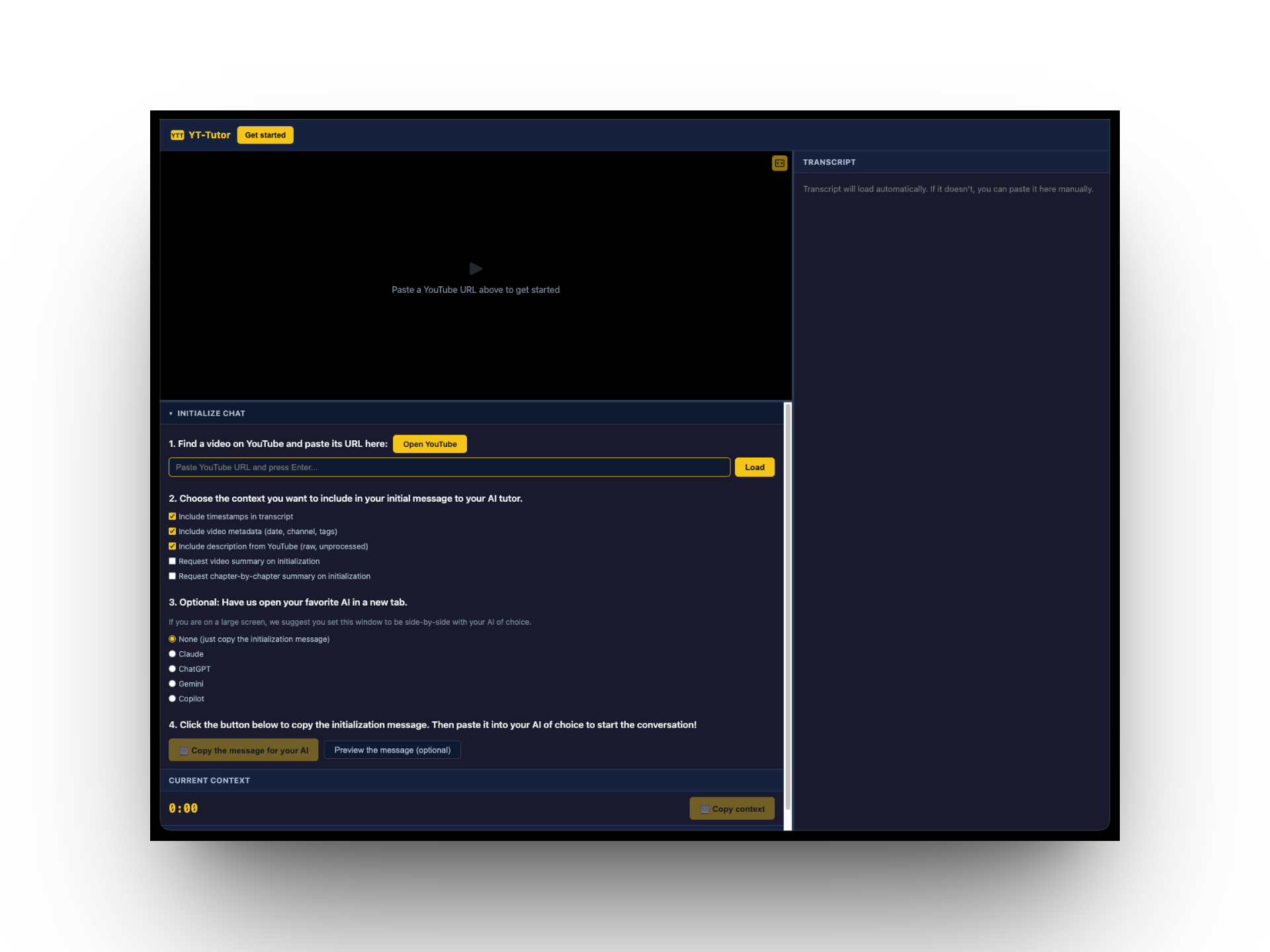
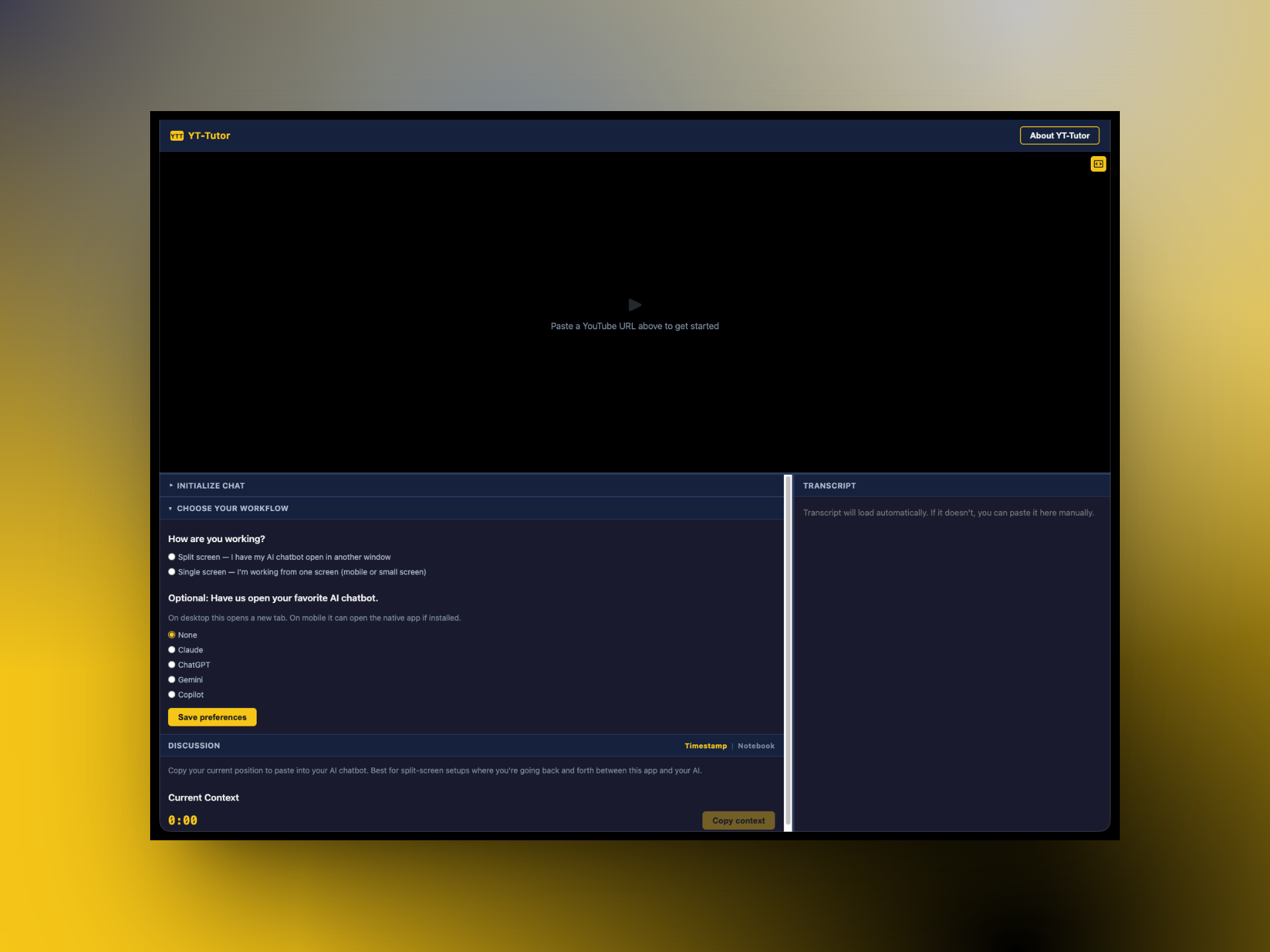
I redesigned the onboarding into four explicit numbered steps: find a video and paste its URL, choose what context to include in the initialization message, optionally open your preferred AI in a new tab, and copy the message. I added an "Open YouTube" button for users who hadn't found a video yet, and radio buttons for selecting an AI (Claude, ChatGPT, Gemini, Copilot) so the app could open it alongside — turning a two-window juggling act into a guided flow.
The app also accounts for different screen setups. On a large screen, users can place YT-Tutor side-by-side with their AI and use the 'Copy context' button to pass timestamped video context mid-conversation. On mobile or single-screen setups, a built-in notebook lets users jot timestamped notes and questions while watching, then export them as markdown. A 'How are you working?' question in the setup flow guides users to the right tool for their situation.
Reflection
YT-Tutor is about a week old and still a work in progress, but it points toward what I think AI's role in education should be. Rather than students using AI to generate answers, the opportunity is to help them more deeply engage with content they're already intrinsically motivated to watch. A student who chooses a YouTube lecture on quantum mechanics is already curious — the right tool gives them a way to interrogate that content, ask follow-up questions, and build understanding at their own pace.